Weekly Work Schedule Template for Excel (Free Download)
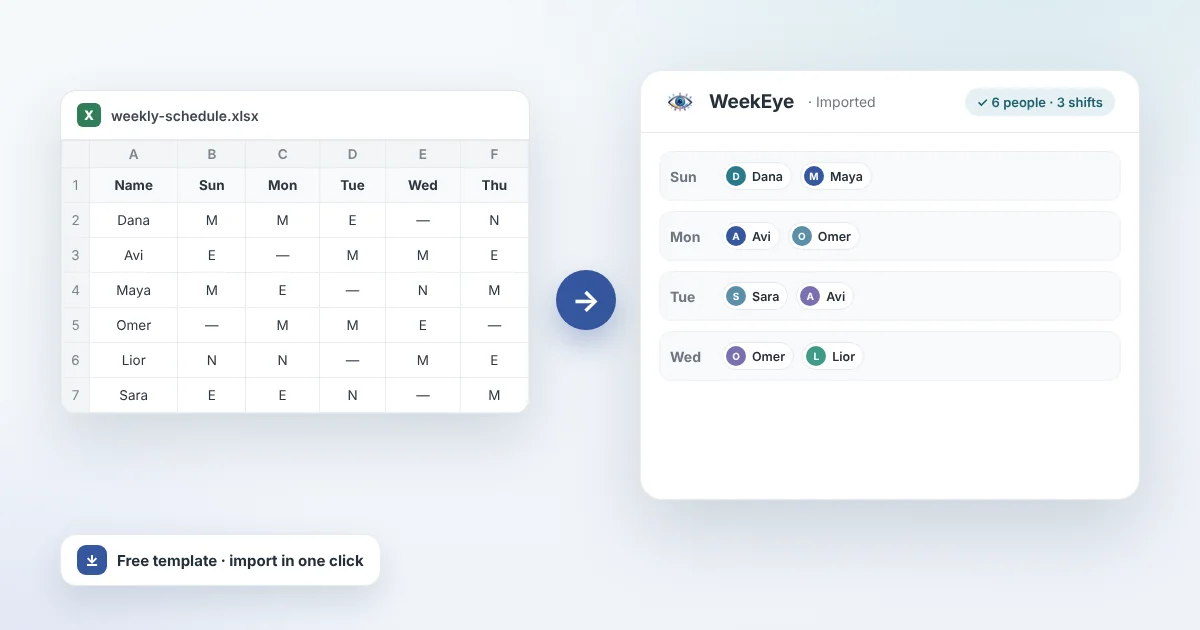
Plenty of small businesses still build the weekly schedule in Excel: one table, seven days, and names typed into cells. That works, as long as the table is built right. On this page you will find a free weekly work schedule template for Excel, six steps to fill it in properly, the rest rules to check before you publish, and the signs that Excel is no longer enough.
What a work schedule template needs
A good schedule answers two questions: who works when, and is the week covered. These are the parts it has to have:
| Part of the template | Why it matters |
|---|---|
| Days of the week in columns, with dates | Without a date nobody knows which version is current |
| Shifts in rows, with start and end times | "Morning" without times is open to interpretation, and you cannot check rest |
| How many people each shift needs, in which role | An empty slot shows up at a glance |
| A staff list with role and maximum shifts per week | Stops you from placing someone in a role they cannot do, or overloading the same people |
| A summary per person: shifts, hours, nights and weekends | Shows on screen whether the split is fair |
| A place for requests and constraints | A request sent in a chat gets lost. A request written next to the schedule does not |
How to build a weekly schedule in Excel in 6 steps
Order matters: first what the week needs, then the rules, and only then the names.
- Write down the need before the names. For each shift: how many people in each role. For example, a restaurant on a weekday evening: one cook, three servers and a bartender. A schedule built from names finds its gaps during the shift itself.
- List your staff. Name, role, how many shifts a week each person can and wants to work, and who does not work nights or weekends.
- Collect availability by a fixed deadline. For example, Wednesday at noon. Anyone who has not replied by then counts as available. That saves a chain of reminders.
- Fill the hard shifts first. Nights, weekends and closing shifts. The easy ones are always easy to fill at the end.
- Check rest and limits. Go through each person: enough hours between shifts, a weekly rest day, and not too many nights in a row. The template flags some of these problems for you.
- Publish on a fixed day, and log changes. Send one file with the date in its name. Every swap after publishing goes into the file, not only into the group chat.
The free template
The template is a single Excel file with four sheets:
- Instructions: how to fill it in, what each color means, and what the checks catch.
- Employees: name, role, maximum shifts per week, and who does not work nights.
- Weekly schedule: seven days with morning, evening and night shifts. You pick each person from a drop-down list, so there are no misspelled names, and a "Missing" row shows where a slot is still empty.
- Summary & checks: an automatic count of shifts, hours, nights and weekend shifts for each person, a flag for anyone over their maximum, and a warning when someone is on a night shift and then the next morning, with no rest in between.
Download the weekly work schedule template (Excel, free)
The file also opens in Google Sheets. The staff and shifts in it are examples: delete them and enter your own.
Rest rules to check before you publish
Rest rules depend on the country, and sometimes the city. These are the ones that shape most schedules:
| Where | What it means for the schedule |
|---|---|
| European Union | At least 11 consecutive hours of rest in every 24, and a weekly rest of 24 hours plus those 11. The average working week, overtime included, is capped at 48 hours. |
| United Kingdom | At least 11 hours between working days, and 24 uninterrupted hours each week (or 48 hours every two weeks). |
| United States | Federal law sets no rest period between shifts for adults. Some cities and states have predictive-scheduling laws that require rest between a closing and an opening shift, or a pay premium. |
A night shift that ends at 07:00 and a morning shift that starts at 07:00 should never belong to the same person, wherever you are.
This is general information, not legal advice. Collective agreements and industry rules can change the details.
5 common mistakes in an Excel schedule
- Building from names, not from the need. The schedule looks full, and on Friday night you find out you are a server short. Here is how to catch that early: How to Identify Shift Coverage Gaps Early.
- Night, then morning. The same person closes the night shift and opens the morning. It breaks rest rules and is a steady source of lateness and turnover.
- No weekend count. Without numbers, everyone is sure they get the worst weekends. A simple weekend count per person ends the argument.
- Three files in the group chat. After the third change nobody knows which version is right.
- Swaps that never get written down. People swap shifts, the file is not updated, and at the end of the month the hours do not add up.
When Excel is no longer enough
Excel is great for a small team with a steady schedule. It starts to drag when one or more of these show up:
- Building the schedule takes more than an hour a week.
- There are several roles, and not everyone can do every role.
- There are night and weekend shifts, and you need to track rest and fairness.
- Changes and swaps happen almost every day.
- Your staff want to see their shifts on their phone, without hunting for a file.
From Excel to an automatic schedule
In WeekEye you write one sentence about your business, for example "a restaurant with 12 staff and two shifts a day", and it builds the roles, the shifts and the weekly schedule. If you already work in Excel, you can upload your existing file and the schedule is built from it. Your staff get a link to their own shifts. Read more about shift planning in WeekEye, scheduling for restaurants, and the guide How to Build a Fair Restaurant Shift Schedule.
Frequently asked questions
How do I make a weekly work schedule in Excel?
Put the days of the week in columns and the shifts in rows, write how many people each shift needs, fill the hardest shifts first, and check rest between shifts before you publish. The template on this page is already built that way.
Is there a free employee schedule template?
Yes. The template on this page is free to download, needs no sign-up, and also opens in Google Sheets.
How much rest should there be between shifts?
It depends on where you are. In the EU and the UK the minimum is 11 consecutive hours of daily rest. US federal law sets no minimum for adults, but some cities and states require rest between a closing and an opening shift, or a pay premium. Check the rules that apply to you.
Can I move my Excel schedule into WeekEye?
Yes. Upload your existing Excel or PDF schedule, and WeekEye builds your organization and the schedule from it.
When is Excel no longer enough for the work schedule?
When building the schedule takes more than an hour a week, when not everyone can work every role, when you need to track rest and fairness across nights and weekends, when swaps happen almost every day, or when staff want to see their shifts on their phone. Until then, a well-built template does the job.
Sources
Build your own schedule from one sentence
Describe your team and Weekeye drafts the roles, the shifts and a fair weekly rota — free, no sign-up.
Try it free: describe your business in one sentence